Reset the Portal for ArcGIS 12.x search index to an empty state that boots, so a Full Reindex can be run from the Portal Admin UI when the embedded OpenSearch cluster refuses to start.
Platform: esri/ArcGIS
Works With: ArcGIS Enterprise
Description
Get a Portal for ArcGIS 12.x search index back on its feet when nothing in Portal can.
The Problem
Portal for ArcGIS 12.x keeps its search index in an embedded OpenSearch cluster. After a hard reboot or a crash-consistent DR restore, that cluster can refuse to start.
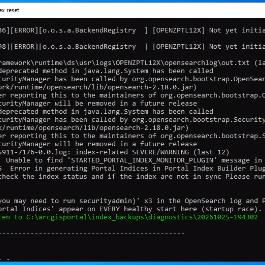
The telltale sign is this log message:
Health Check failed, the portal is not ready. Connection to the indexer service failed.
Every supported repair, Reindex and Reconfigure in the Portal Admin API, runs through the very index service that is down, so they cannot help. The old trick of unpacking an empty index template no longer exists in 12.x. Portal will not rebuild the index directory on its own, and Esri Support's answer is often a webgisdr restore.
The Solution
A PowerShell toolkit with a double-click front door. It works at the file level, below Portal, and it gives you an empty index that boots. You then run a Full Reindex from the Portal Admin UI and the content comes back from the Portal database. Typical time from a dead cluster to a running one: under five minutes.
What it Does
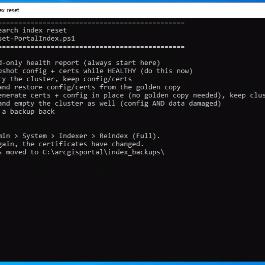
- Diagnose. Read-only. Service state, stray OpenSearch processes, lock files, torn files, disk, DNS, certificate and key health, cluster health, shard state, and the actual error line pulled out of the OpenSearch log. Writes a report folder you can hand to Esri.
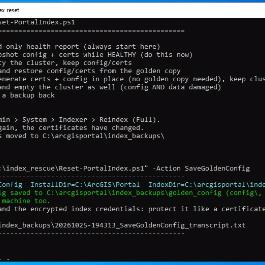
- Save Golden Config. Captures the per-deployment configuration, certificates and credential files while
- the index is healthy. One second, read-only, schedule it daily.
- Reset Cluster. Moves the damaged cluster data aside and starts Portal on an empty cluster with the existing config and certificates. Optionally restores config from the golden copy.
- Rebuild Config. No golden copy needed. Regenerates the certificates with the bundled openssl using Portal's own recipe, rebuilds the OpenSearch configuration from Esri's templates, and keeps the two credential files that cannot be regenerated. Optionally empties the cluster in the same run.
- Rollback. Nothing is ever deleted. Every reset moves data into a timestamped backup folder and any of them can be put back.
Proven
Rehearsed end to end on a live Portal 12.1 deployment
What You Get
Two files to copy to the Portal machine, a batch menu that self-elevates and keeps the window open, full documentation with a runbook, troubleshooting table and rehearsal recipes, and a README for GitHub. Everything resolves its own paths from the Portal installation. Nothing to configure for a default install.
Not an Esri product. Not supported by Esri. It works on Portal's files outside the supported interfaces,
so rehearse on a test machine first and keep your backups. Apache License 2.0. Copyright 2026 Ope Ltd.
Ratings & Reviews
This listing hasn't received any reviews yet.
75 views since 2026-10-26 02:41:22