A reliable, simple-to-use, and secure Windows desktop application for scheduled or on-demand backups of your data, maps, apps, and files.
Platform: esri/ArcGIS
Works With: ArcGIS Enterprise, ArcGIS Online
Description
- Enterprise-grade complete backup solution
- Fully self-contained with no external dependencies
- Easy implementation and configuration
- Trusted globally by organizations of every size
- Unlimited machines/users/items
- Built-in scheduling and backup monitoring tools
- SSO / MFA / oAuth support
- Sophisticated export and retry logic
- Robust token and session management
- Multithreaded architecture with progress watchdog
- Restoration tooling with preview/undo capability
- Built-in retention management
- Native AWS S3 and Azure Blob integration
- DPAPI-encrypted credential management
The Backup Utility for ArcGIS Online and Portal for ArcGIS is the simple, enterprise-grade solution for backup and restoration of your hosted items. Simply download, authenticate, and start backing up, with no installation and no external dependencies. No need to manage a Python environment or any other third-party software or services.
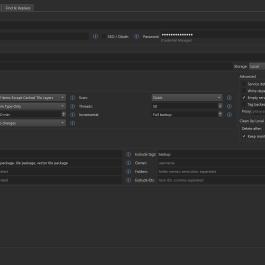
Run backups on-demand or on a schedule with daily, weekly, and monthly options. Filter by group, folder, tag, owner, item type, or date of last edit. Backup reliability is ensured with sophisticated retry logic, large file download retries with range header support, robust token management, thorough reporting and logging, and frequent updates that track changes to the ArcGIS platform and relevant APIs.
Store results locally, on a network drive, or upload automatically to Amazon S3 or Azure Blob Storage. Backups can also be synced to any cloud provider through desktop sync clients, including Box, Dropbox, Google Drive, and OneDrive.
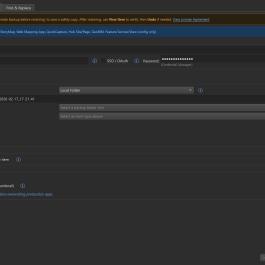
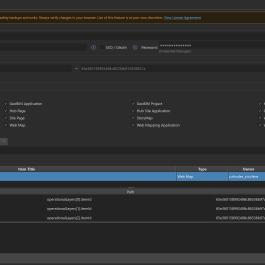
Restore backed-up items directly from the app. Select an item from a local or cloud storage location, choose whether to restore in place or create new, and click Restore. Safety backups are taken automatically, and every change can be undone with one click. A Find & Replace feature supports more complex restoration scenarios.
FEATURES
- Intuitive configuration with built-in scheduling for multiple backup configurations
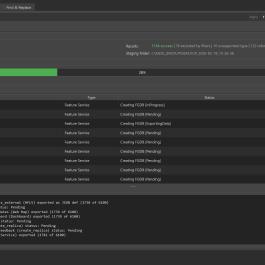
- Real-time progress monitoring with live API status, active items, and backup phase tracking.
- Automated restoration tooling, with one-click restoration and per-item find-and-replace to support more complex restoration scenarios. One-click undo for all restoration modes.
- Multithreaded architecture works on multiple exports simultaneously to reduce backup run time
- Single sign-on/multifactor authentication support
- License includes unlimited users/machines
- Runs on your infrastructure with no third-party access to your credentials or data
- Standalone application - single executable, no dependencies, no Windows services, no external database
- Feature services backed up as file geodatabase, with domains, attachments, and related tables
- Tile layers optionally backed up as tile package/vector tile package
- Web maps/scenes, apps, QuickCapture projects, GeoBIM projects, Field maps configurations, etc. backed up as JSON, with item resources
- Survey123 forms backed up with all associated files and folders
- Full or incremental backup options
- Backups filterable by tag, group, folder, item type, or date of last edit
- Output can be sorted by item type, owner/item type, or owner/folder/item type
- Backups include item inventory with item dependencies, owner, sharing, tags, summary/description, spatial reference, and creation/modified dates.
- Non-admins can back up/archive items they own - one license can be distributed to an unlimited number of users
Ratings & Reviews
5.0 ★★★★★
from 1 ratings
This listing hasn't received any reviews yet.
101 views since 2025-12-25 21:06:40